



课程目标
- SpringBoot的Mail包集成
- 邮件发送的基本配置
一、邮件发送
1、加依赖
SpringBoot邮件发送的starter
        <!-- Spring Boot 邮件依赖(如果使用Spring) -->
        <dependency>
            <groupId>org.springframework.boot</groupId>
            <artifactId>spring-boot-starter-mail</artifactId>
        </dependency>
2、加配置
spring:
  mail:
#    host: smtp.163.com
#    port: 465
#    username: shit7@163.com
#    password: ECW4Q9VnxTHT7xSH
#
#    default-encoding: UTF-8
#    properties:
#      mail:
#        smtp:
#          ssl:
#            enable: true
    host: smtp.qq.com
    port: 587

    username: 15329592@qq.com
    password: fzkkwqcbmzsebicb
    properties:
      mail:
        smtp:
          auth: true
          starttls:
            enable: true
          connectiontimeout: 5000
          timeout: 3000
          writetimeout: 5000
3、开启qq邮箱的验证
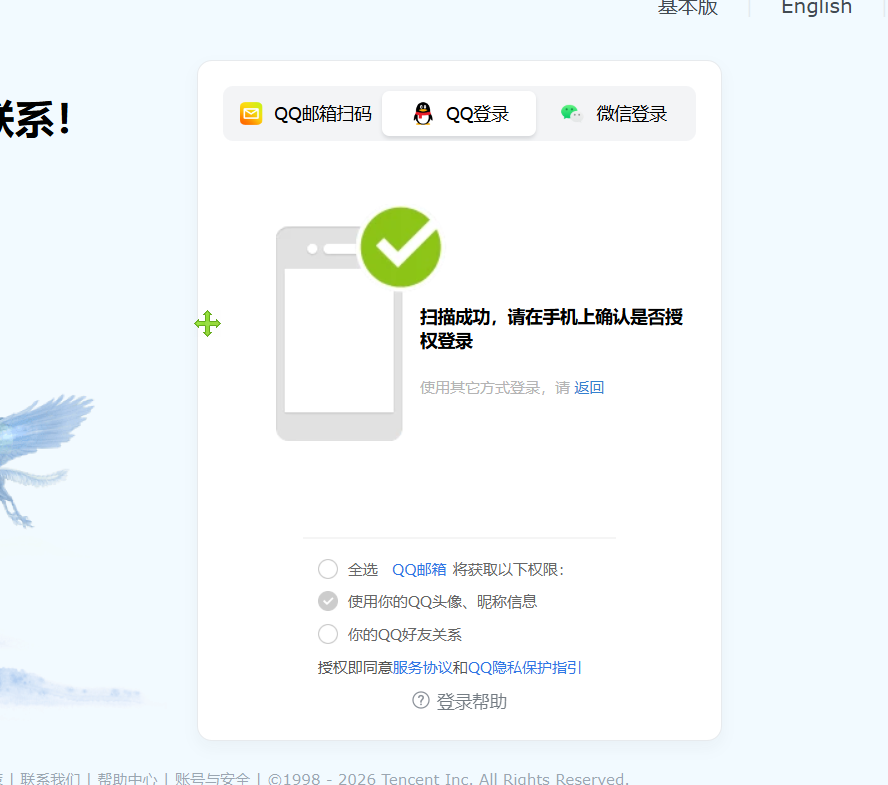
3.1登录
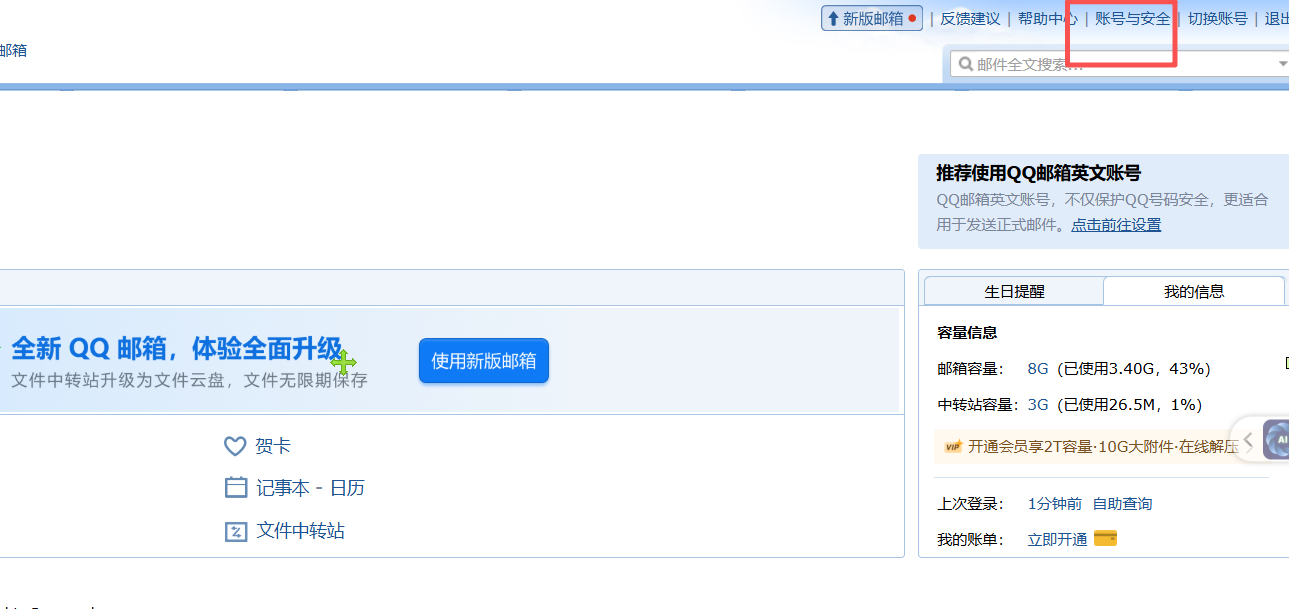
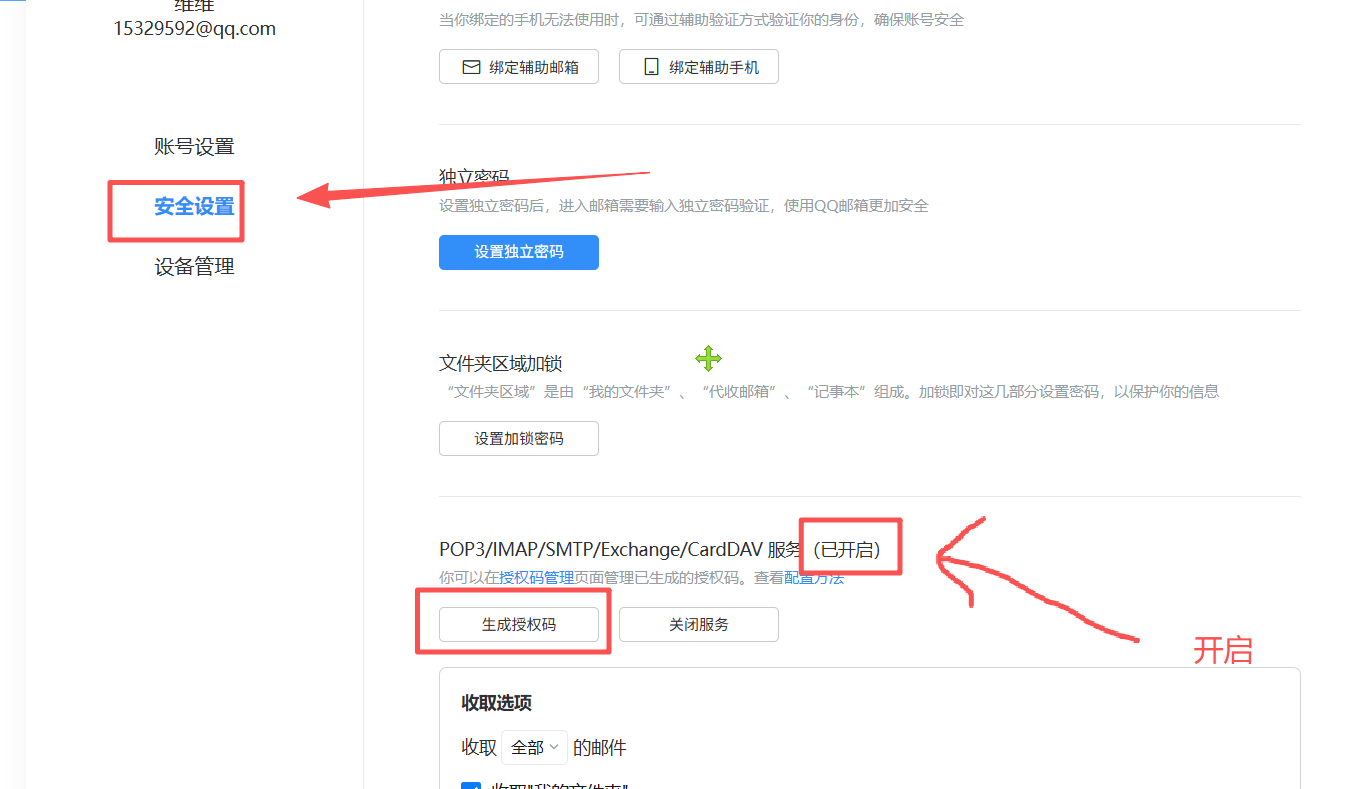
3.2开启邮件pop3和smtp服务
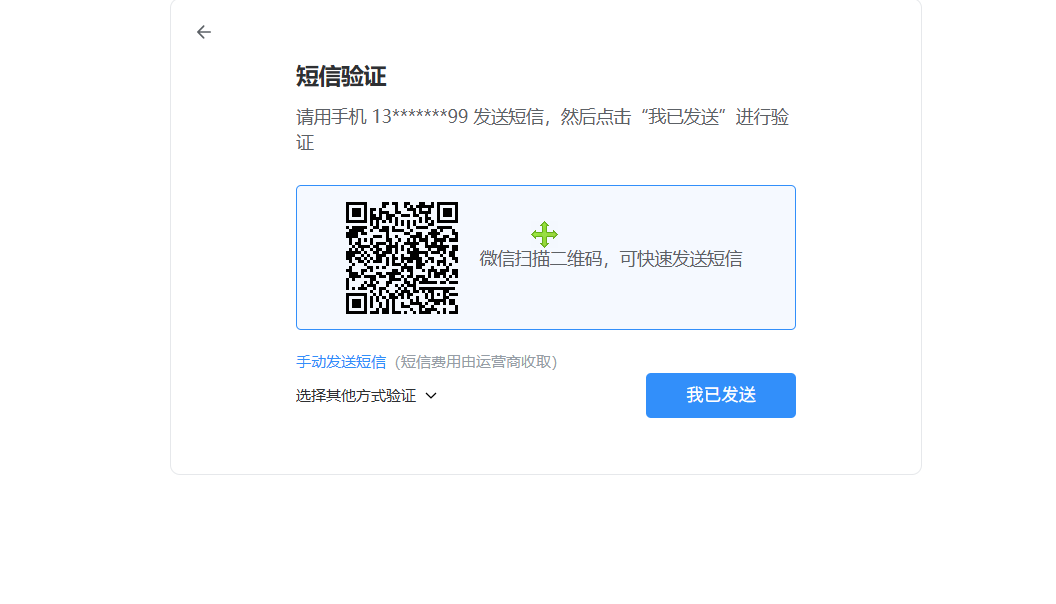
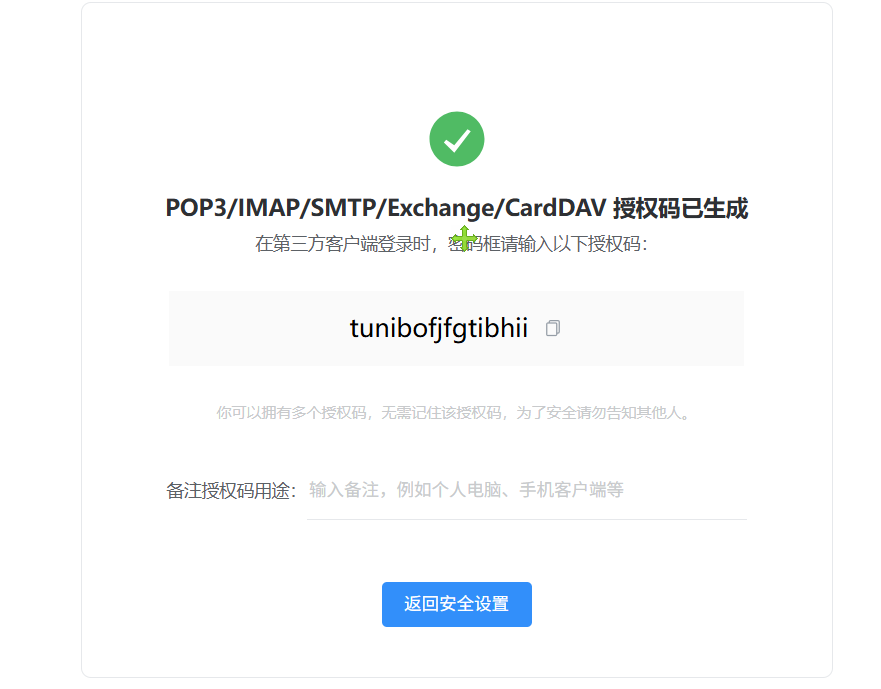
3.3生成key
4、demo代码
package com.daiwei.springboot126.controller;

import jakarta.mail.MessagingException;
import jakarta.mail.internet.MimeMessage;
import org.springframework.beans.factory.annotation.Autowired;
import org.springframework.core.io.FileSystemResource;
import org.springframework.mail.SimpleMailMessage;
import org.springframework.mail.javamail.JavaMailSender;
import org.springframework.mail.javamail.MimeMessageHelper;
import org.springframework.web.bind.annotation.RequestMapping;
import org.springframework.web.bind.annotation.RestController;

import java.io.File;

@RestController
@RequestMapping("/email")
public class EmailController {

        @Autowired
        private JavaMailSender mailSender;

        /**
         * 发送简单文本邮件
         */
        @RequestMapping("/sendSimpleEmail")
        public void sendSimpleEmail(String to, String subject, String content) {
            SimpleMailMessage message = new SimpleMailMessage();
            message.setFrom("15329592@qq.com");
            message.setTo(to);
            message.setSubject(subject);
            message.setText(content);

            mailSender.send(message);
            System.out.println("简单邮件发送成功");
        }

        /**
         * 批量发送邮件
         */
        public void sendBatchEmail(String[] toList, String subject, String content) {
            SimpleMailMessage message = new SimpleMailMessage();
            message.setFrom("your-email@qq.com");
            message.setTo(toList); // 设置多个收件人
            message.setSubject(subject);
            message.setText(content);

            mailSender.send(message);
            System.out.println("批量邮件发送成功,收件人数:" + toList.length);
        }

        /*
        * 附件发送
         */
    @RequestMapping("/sendAttachmentsEmail")
        public void sendAttachmentsEmail(String to, String subject, String content) throws MessagingException {
            MimeMessage message = mailSender.createMimeMessage();
            // 第二个参数 true 表示创建一个 multipart message(用于支持附件和HTML)
            MimeMessageHelper helper = new MimeMessageHelper(message, true, "UTF-8");

            helper.setTo(to);
            helper.setSubject(subject);
            helper.setText(content, false); // 使用 isHtml 参数决定正文格式
            helper.setFrom("shit7@163.com");
            String filePath = "d://hh.json";
            // 1. 从文件路径创建附件
            FileSystemResource file = new FileSystemResource(new File(filePath));
            // addAttachment(附件显示的名称, 文件资源)
            helper.addAttachment(file.getFilename(), file);

            mailSender.send(message);
        }
}
24-3阶内容-9.9.9-邮件发送
https://xiaochenblog.icu/archives/24-3jie-nei-rong-9.9.9-you-jian-fa-song
评论