



一、云短信接入
1、申请资质->一般都是企业用户发送
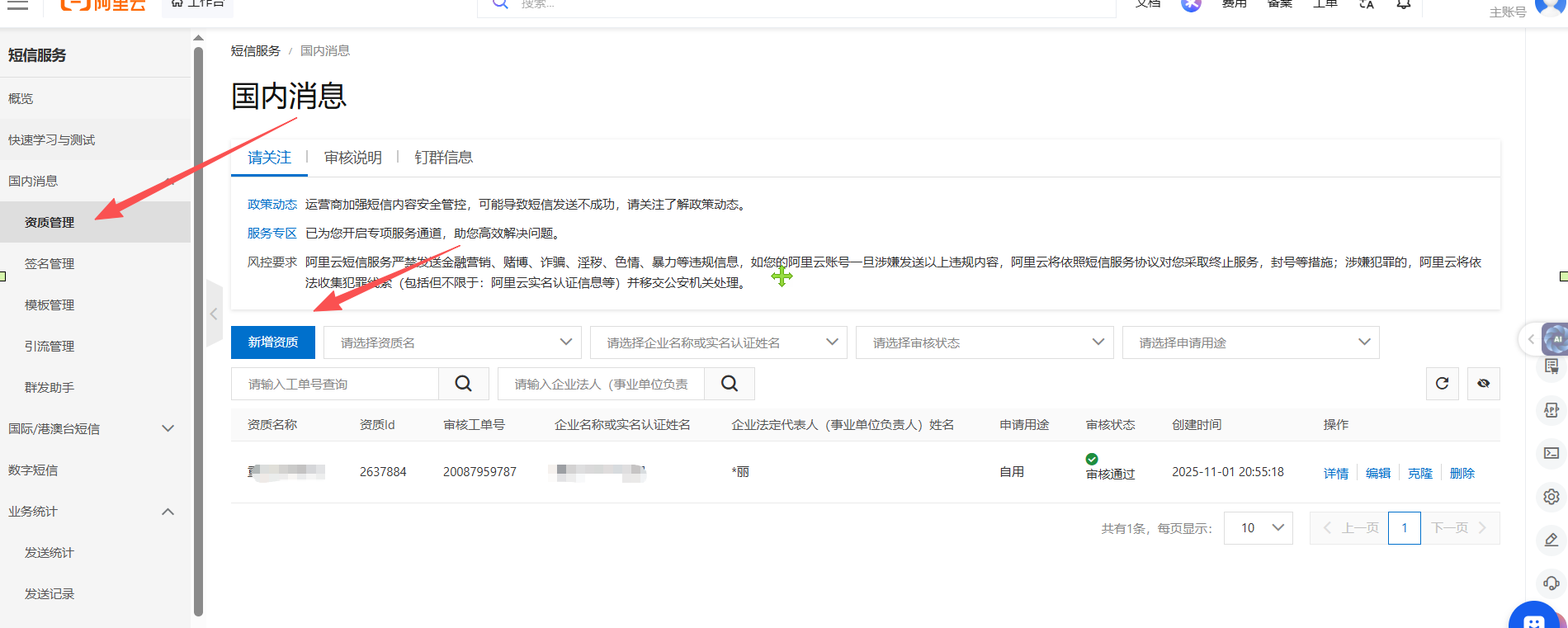
2、填写企业相关信息
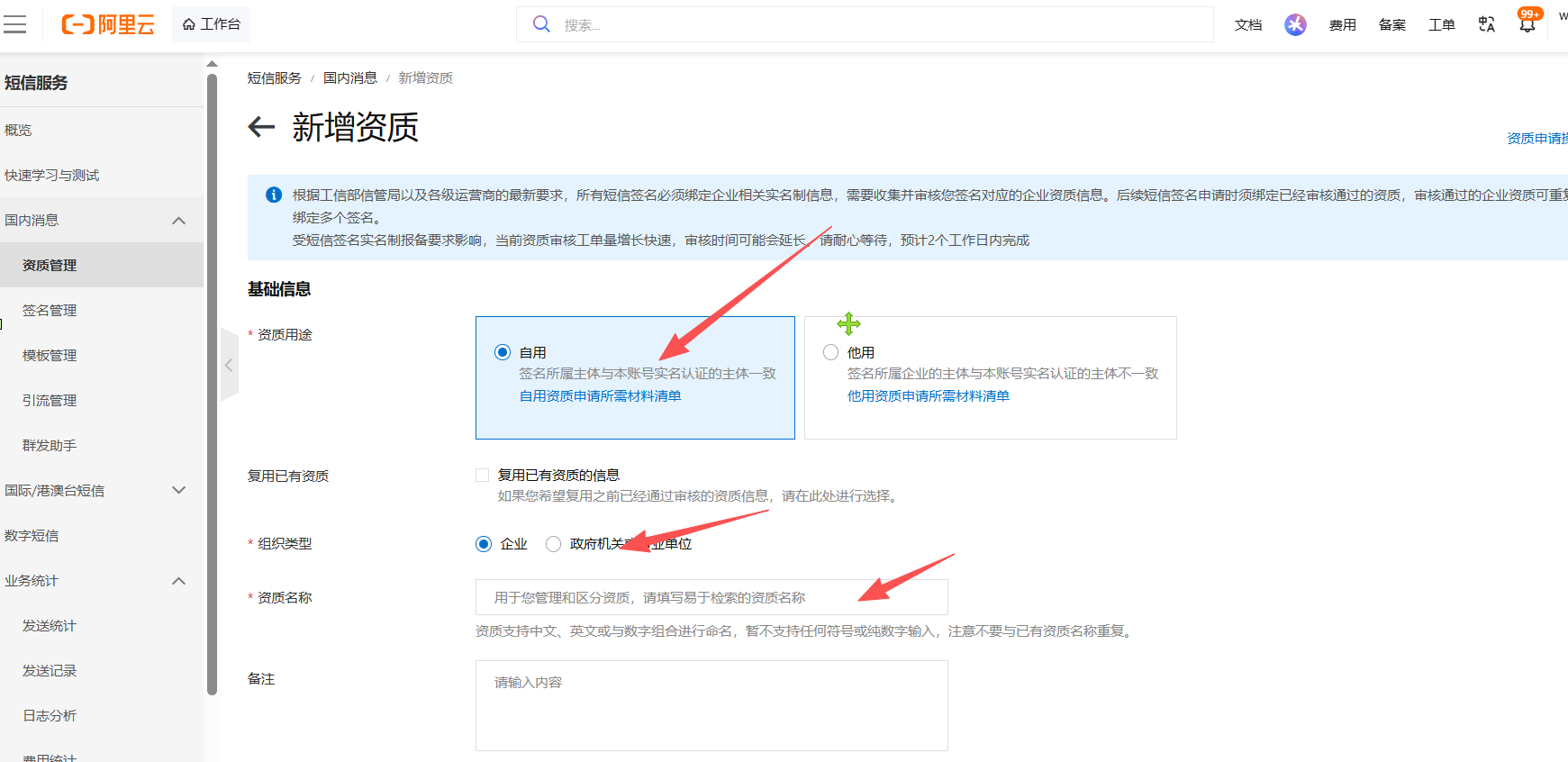
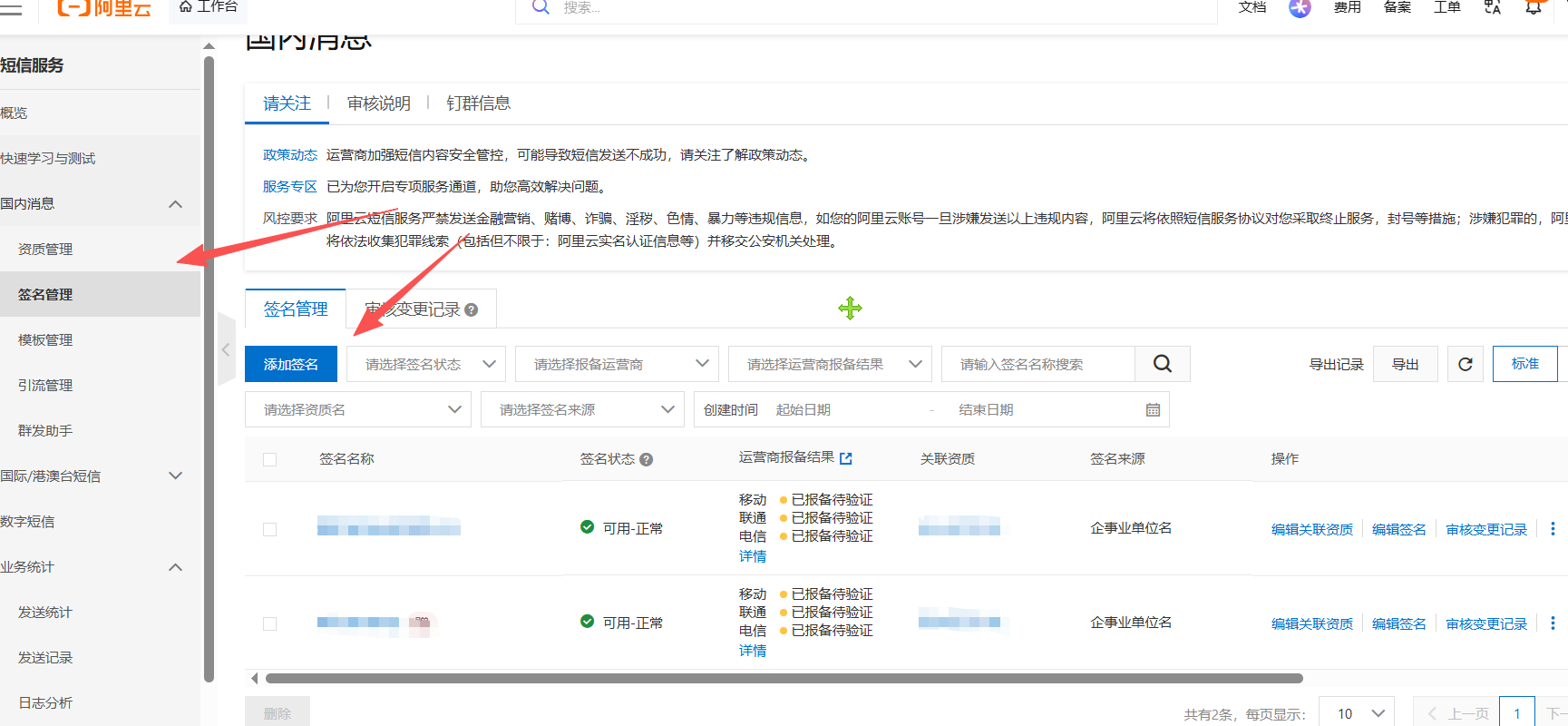
3、增加一个签名-> 代表是谁在发信息
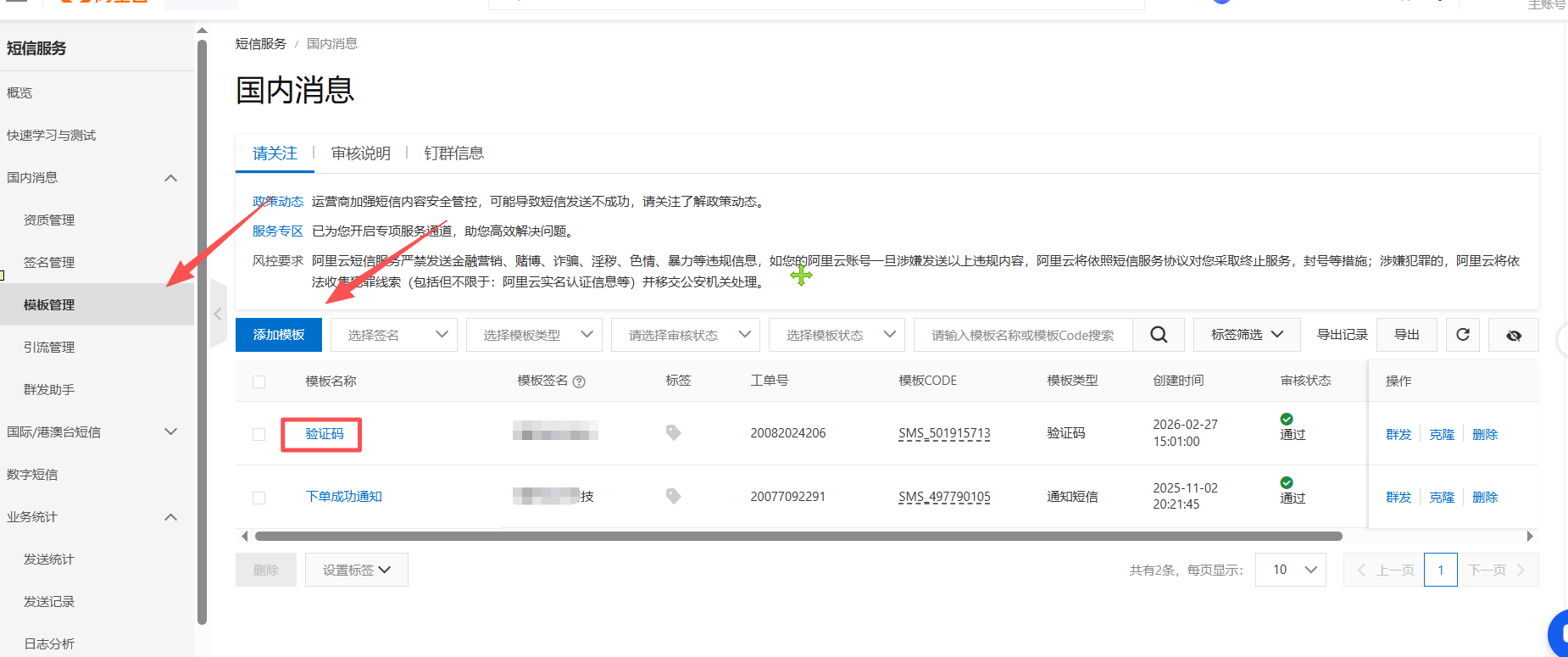
4、添加一个模板 ->具体要发送的内容是什么
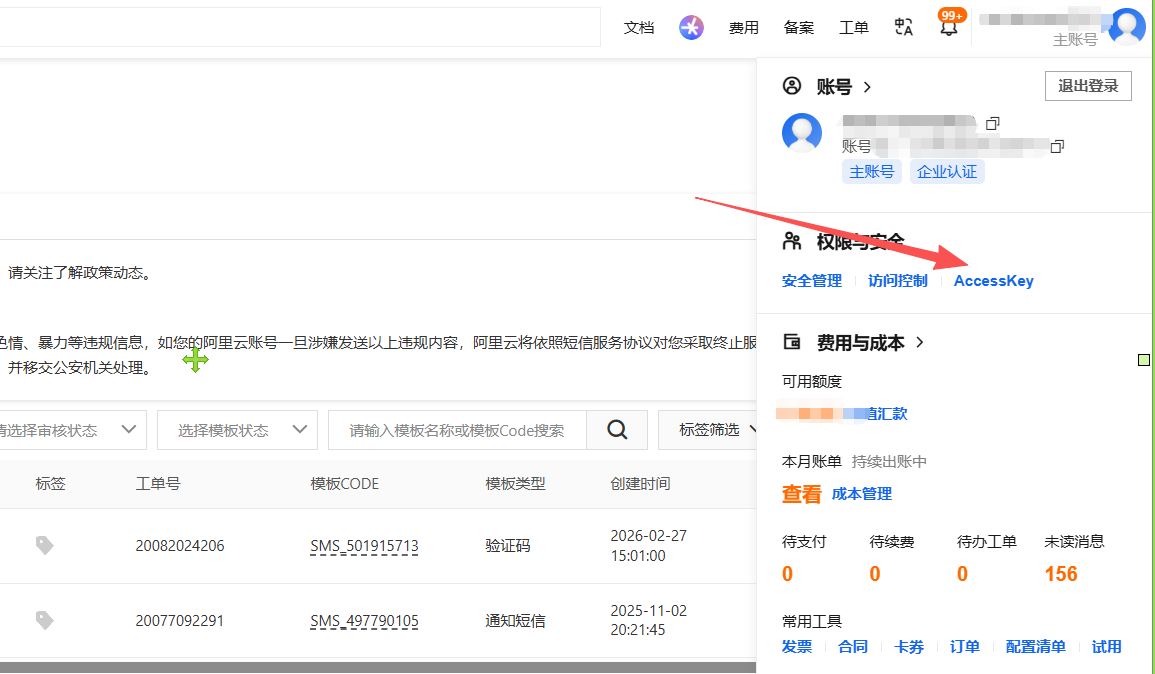
5、进入安全访问key管理
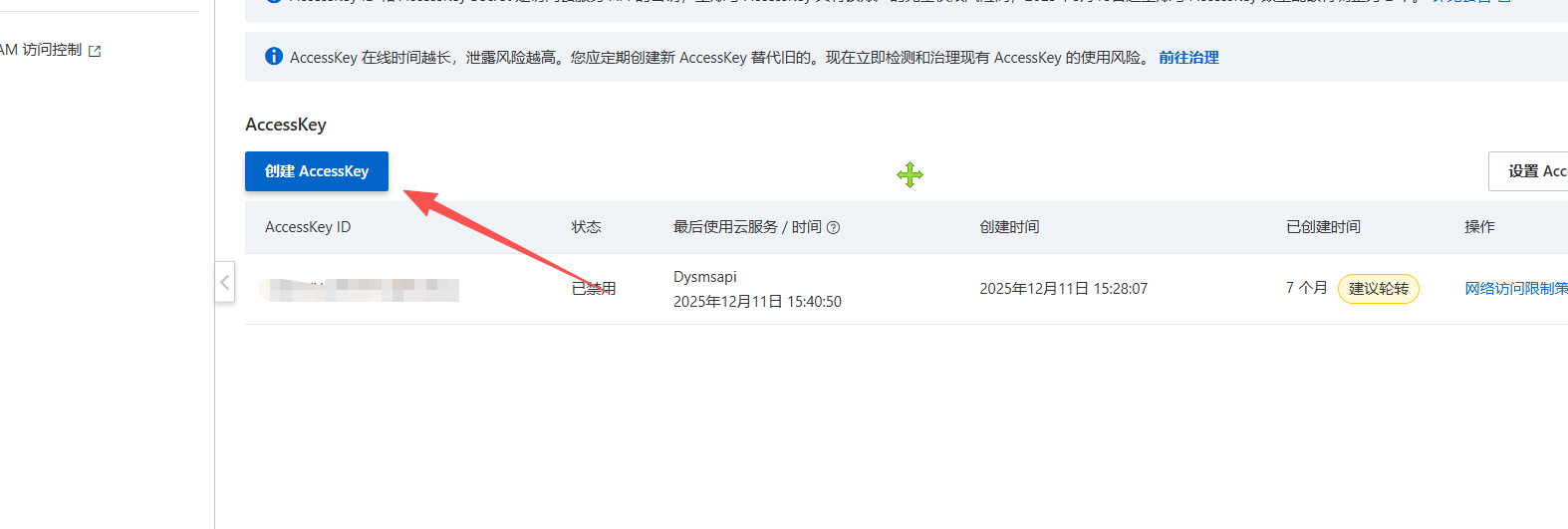
6、创建一个访问key
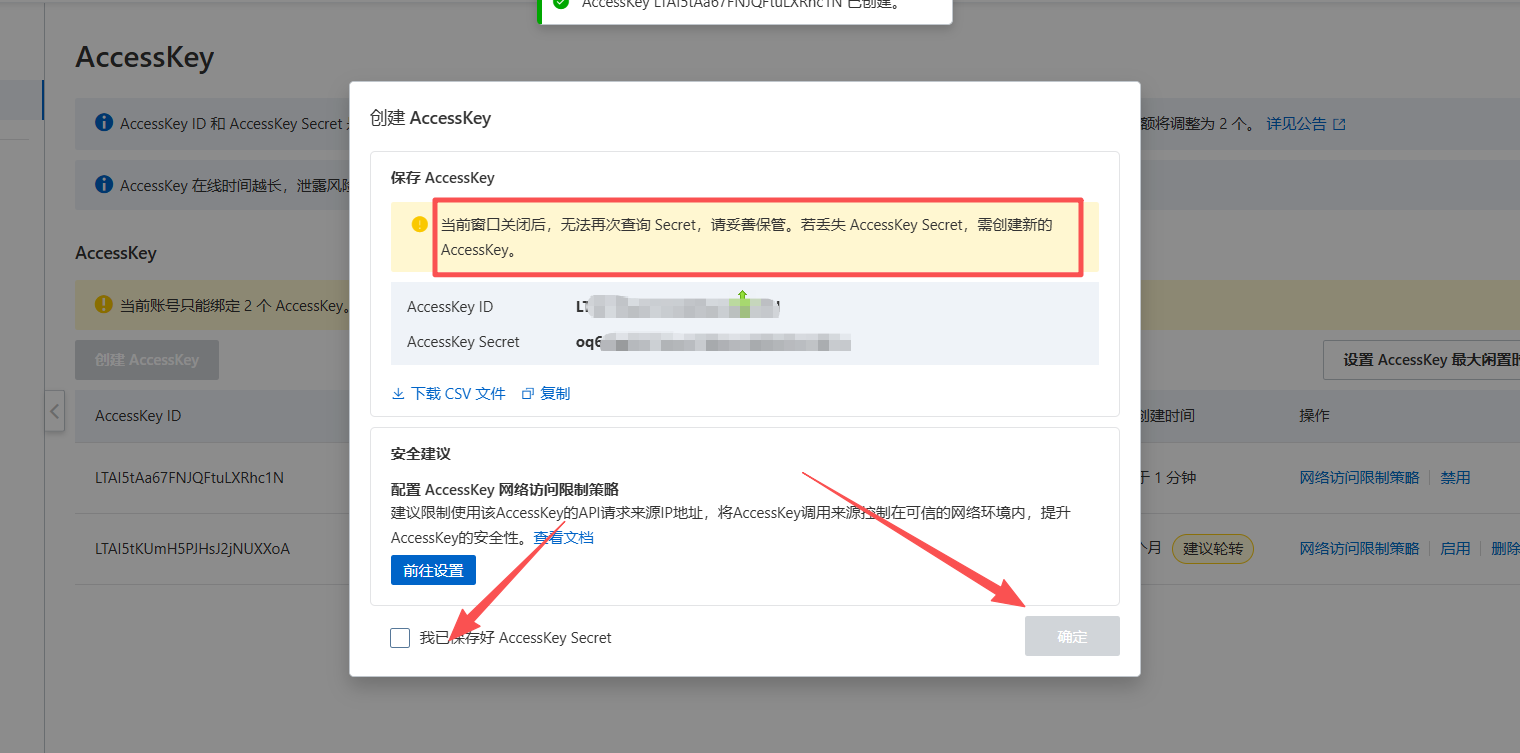
7、创建后记得保存好id和 sec
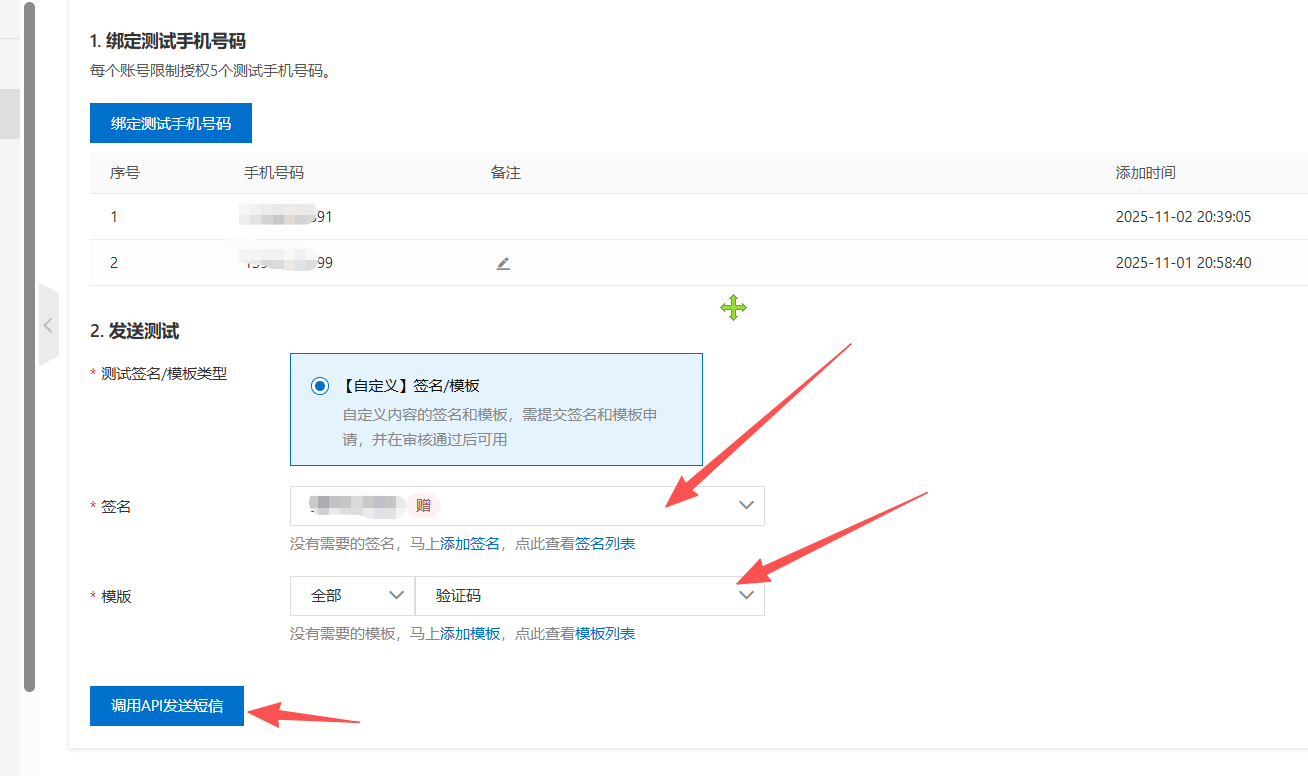
二、Demo测试
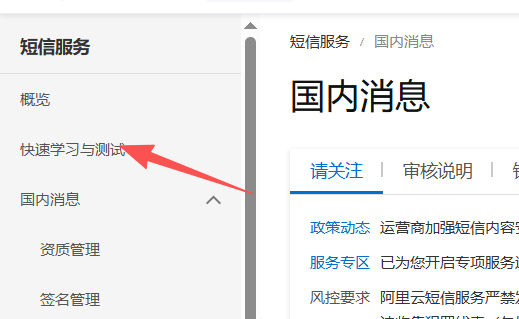
选择签名和模板测试一下
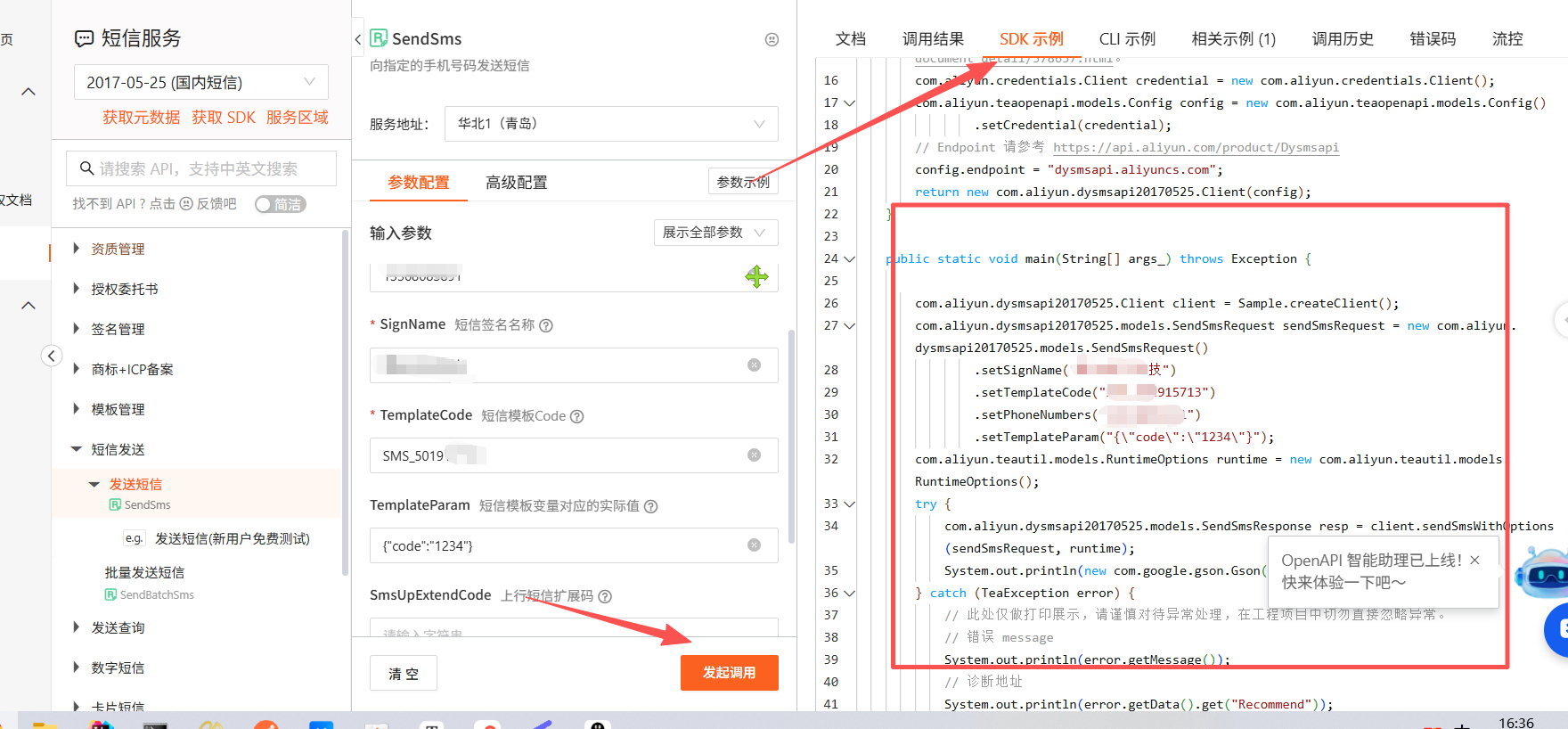
SDK下有范例参考
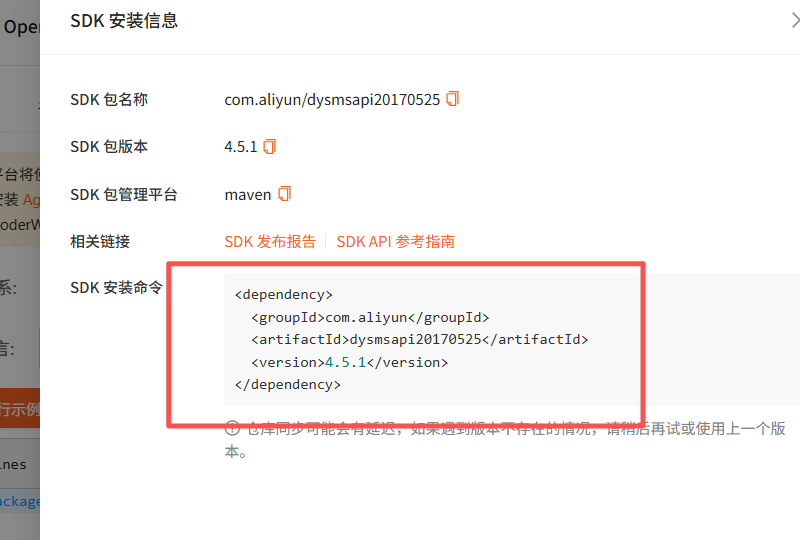
记得加上依赖
三、 代码编写
1、加依赖
        <dependency>
            <groupId>com.aliyun</groupId>
            <artifactId>alibabacloud-dysmsapi20170525</artifactId>
            <version>4.0.9</version>
        </dependency>
2、测试代码
package com.example.demo;

import com.aliyun.auth.credentials.Credential;
import com.aliyun.auth.credentials.provider.DefaultCredentialProvider;
import com.aliyun.auth.credentials.provider.StaticCredentialProvider;
import com.aliyun.sdk.service.dysmsapi20170525.AsyncClient;
import com.aliyun.sdk.service.dysmsapi20170525.models.SendSmsRequest;
import com.aliyun.sdk.service.dysmsapi20170525.models.SendSmsResponse;
import com.google.gson.Gson;
import darabonba.core.client.ClientOverrideConfiguration;

//import javax.net.ssl.KeyManager;
//import javax.net.ssl.X509TrustManager;
import java.util.concurrent.CompletableFuture;

public class SendSms {
    public static void main(String[] args) throws Exception {

        // HttpClient Configuration
        /*HttpClient httpClient = new ApacheAsyncHttpClientBuilder()
                .connectionTimeout(Duration.ofSeconds(10)) // Set the connection timeout time, the default is 10 seconds
                .responseTimeout(Duration.ofSeconds(10)) // Set the response timeout time, the default is 20 seconds
                .maxConnections(128) // Set the connection pool size
                .maxIdleTimeOut(Duration.ofSeconds(50)) // Set the connection pool timeout, the default is 30 seconds
                // Configure the proxy
                .proxy(new ProxyOptions(ProxyOptions.Type.HTTP, new InetSocketAddress("<your-proxy-hostname>", 9001))
                        .setCredentials("<your-proxy-username>", "<your-proxy-password>"))
                // If it is an https connection, you need to configure the certificate, or ignore the certificate(.ignoreSSL(true))
                .x509TrustManagers(new X509TrustManager[]{})
                .keyManagers(new KeyManager[]{})
                .ignoreSSL(false)
                .build();*/

        // Configure Credentials authentication information
        DefaultCredentialProvider provider = DefaultCredentialProvider.builder().build();

        StaticCredentialProvider provider2 = StaticCredentialProvider.create(Credential.builder()
                .accessKeyId("LTAI5tKKfwrJc5ixSR1w7ygr")
                .accessKeySecret("vDbtziTF1ekIcdbqBl2GoO3WQJinrH")
                .build());

        // Configure the Client
        try (AsyncClient client = AsyncClient.builder()
                .region("cn-qingdao") // Region ID
                //.httpClient(httpClient) // Use the configured HttpClient, otherwise use the default HttpClient (Apache HttpClient)
                .credentialsProvider(provider2)
                //.serviceConfiguration(Configuration.create()) // Service-level configuration
                // Client-level configuration rewrite, can set Endpoint, Http request parameters, etc.
                .overrideConfiguration(
                        ClientOverrideConfiguration.create()
                                // Endpoint 请参考 https://api.aliyun.com/product/Dysmsapi
                                .setEndpointOverride("dysmsapi.aliyuncs.com")
                        //.setConnectTimeout(Duration.ofSeconds(30))
                )
                .build()) {

            // Parameter settings for API request
            SendSmsRequest sendSmsRequest = SendSmsRequest.builder()
                    .phoneNumbers("13983619599")
                    .signName("重庆远万科技")
                    .templateCode("SMS_501915713")
                    .templateParam("{\"code\":\"1234\"}")
                    // Request-level configuration rewrite, can set Http request parameters, etc.
                    // .requestConfiguration(RequestConfiguration.create().setHttpHeaders(new HttpHeaders()))
                    .build();

            // Asynchronously get the return value of the API request
            CompletableFuture<SendSmsResponse> response = client.sendSms(sendSmsRequest);
            // Synchronously get the return value of the API request
            SendSmsResponse resp = response.get();
            System.out.println(new Gson().toJson(resp));
            // Asynchronous processing of return values
            /*response.thenAccept(resp -> {
                System.out.println(new Gson().toJson(resp));
            }).exceptionally(throwable -> { // Handling exceptions
                System.out.println(throwable.getMessage());
                return null;
            });*/

        }
    }

}
备注:记得加上key 和sec,安全访问,否无无法发送
23-3阶内容-9.9.9-短信
https://xiaochenblog.icu/archives/23-3jie-nei-rong-9.9.9-duan-xin
评论